
We’ve all been there.
You find a website that promises to improve your image for free. You upload the photo, wait a few seconds, and just when you’re about to download it, you’re asked to create an account.
For a one-time edit, that’s the last thing most people want. If you’re simply trying to make an image look sharper, ImageSharpen lets you upload your image, enhance it with AI, and download the result without going through a lengthy sign-up process.
For many people, image enhancement is a one-time task. You might need to improve a product photo, sharpen an old family picture, or make a blurry screenshot easier to read. In those situations, spending time creating an account just slows you down. That’s why many people specifically look for AI image upscalers that work instantly in the browser.
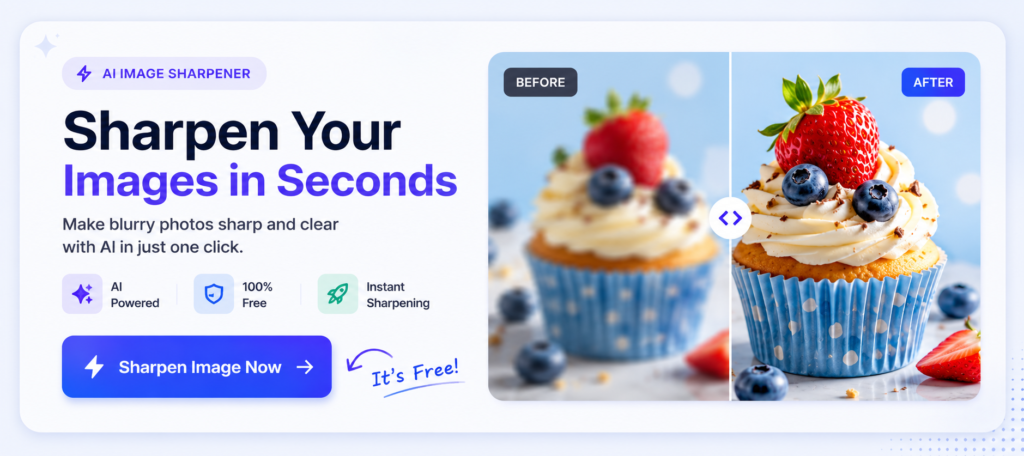
What to Look for in an AI Image Upscaler
Not every AI image upscaler is worth using.
Some are slow, some cover your image with watermarks, and others ask you to create an account before you’ve even seen the result.
Here’s what actually matters.
No Sign-Up Required
If you’re only enhancing one or two images, you shouldn’t have to create an account just to get started.
A good AI image upscaler should let you upload, enhance and download your image with as little friction as possible.
Fast Processing
Nobody wants to wait several minutes for a single image.
The best tools finish the job in seconds, making them useful when you’re in the middle of working on a presentation, website or social media post.
Simple Interface
You shouldn’t need a tutorial to enhance an image.
A clean interface with a straightforward upload button is usually all you need.
Natural-Looking Results
Sharper doesn’t always mean better.
A good AI image upscaler should improve clarity without making the image look over-processed or full of strange artefacts.
The goal isn’t to completely change your image. It should still look like the original photo, just with better clarity and sharper details. Good AI enhancement feels natural rather than artificial.
How to Upscale an Image in Under a Minute
Using an AI image upscaler is surprisingly simple. Upload your image to ImageSharpen, let the AI enhance it, and download the improved version once it’s ready. The whole process usually takes less than a minute, and there’s no need to install software or learn complicated editing tools.
Because everything happens in your browser, you can enhance images from your computer, tablet or phone. Whether you’re fixing a single photo or preparing images for work, the process stays quick and straightforward.
When an AI Image Upscaler Works Best
AI image upscalers aren’t designed to fix every image.
They work best when the original image still has enough detail for the AI to build on.
Slightly Blurry Photos
If your photo is just a little soft, an AI image upscaler can improve the clarity and make details stand out without making the image look unnatural.
Low-Resolution Images
Older photos and images downloaded from websites are often too small for today’s screens.
Upscaling them can make them look cleaner and more usable, especially when you need a larger version.
Product Photos
Clear product images help customers see exactly what they’re buying.
An AI image upscaler can improve product photos before you upload them to your website or marketplace.
Logos and Graphics
Low-resolution logos and graphics can quickly make a website or presentation feel unprofessional.
An AI image upscaler can sharpen the edges and improve clarity, making existing graphics look cleaner without changing the design.
Why More People Are Using AI Image Upscalers
AI image upscalers have become popular because they save time and don’t require editing experience. Instead of learning complex software, anyone can upload an image and improve its quality in just a few clicks.
Restoring an old photo or preparing images for a website? AI makes the process much more accessible.
Conclusion
If you only need to enhance one image, creating an account shouldn’t be part of the process.
A good AI image upscaler should be fast, simple and easy to use.
With ImageSharpen, you can upload your image, enhance it with AI and download the result in just a few clicks, without signing up.