
Blurry photos are frustrating, especially when you cannot reshoot, do not have Photoshop, and do not want to pay for a subscription just to fix one image. Most free tools online are either too basic to make a real difference or buried behind a sign-up wall.
ImageSharpen.com is different. Upload your photo, hit Enhance, and get a sharper version back in about 15 seconds. Free, no account, no watermark.
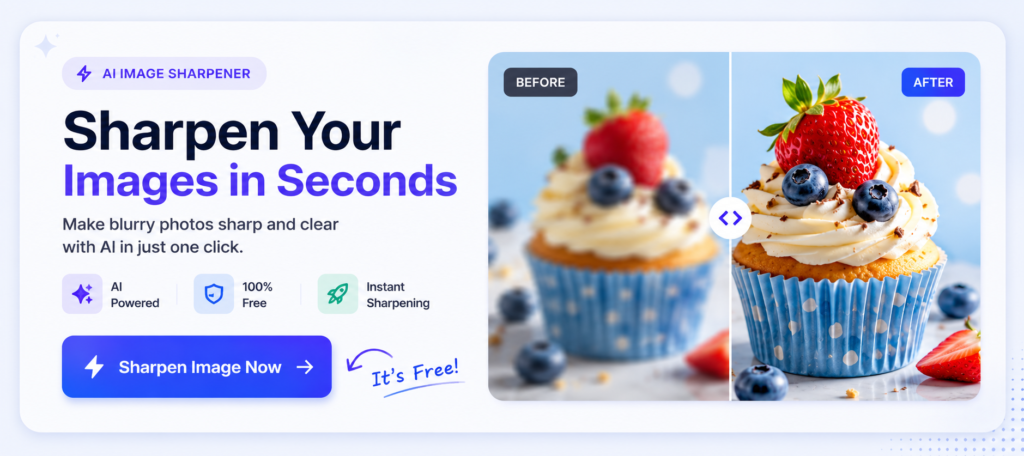
What It Does
You upload a blurry or soft image. The AI looks at every part of it, figures out what detail should be there, and reconstructs it. What comes back is a cleaner, sharper version of the same photo.
It is not just making edges look harsher the way a basic sharpening slider does. It is actually recovering detail that compression, blur, or low resolution took away in the first place. The difference is noticeable, especially on faces, textures, and anything with fine detail.
You can compare the before and after directly in the tool using a slider, and you only download if you are happy with the result.
Most blurry photos aren’t actually ruined. They’re usually affected by compression, low resolution, or slight softness from the camera. Modern AI models can recognise patterns in an image and rebuild detail that traditional sharpening filters simply can’t recover. That’s why AI image sharpening often produces much better results than increasing the sharpness slider in a photo editor.
Who It Is For
Pretty much anyone with a photo that is not quite sharp enough.
- Photographers who need to rescue a slightly soft shot from a shoot
- Online sellers with blurry product photos they cannot reshoot
- People fixing photos received over WhatsApp or downloaded from social media
- Students sharpening screenshots of slides, documents, or notes
- Anyone trying to restore old scanned family photos
- Content creators cleaning up images before posting
- Anyone who just has a photo they care about that came out blurry
How to Use It
- Go to ImageSharpen.com
- Drop your image into the upload area or tap to browse
- Click Enhance Image
- Wait about 15 seconds
- Compare before and after using the slider
- Download your sharpened image
No account, no watermark, no extra steps.
Why AI Is Better Than Traditional Sharpening
Traditional sharpening simply increases contrast around edges.
AI image sharpening works differently. Instead of making existing pixels harsher, it analyses the image and predicts missing detail based on patterns it has learned from millions of photos.
The result usually looks more natural, especially on faces, hair, clothing and text.
What It Works Best On
AI sharpening produces the best results on images that have lost detail through compression, soft focus, or low resolution. That covers the majority of everyday blurry photos.
It works really well on portraits and faces, product photos with texture and fine edges, screenshots downloaded from social media or messaging apps, scanned old photos that lost sharpness in the process, and images that have been compressed after being emailed or shared online.
It works less dramatically on images that are already sharp since there is not much to recover. Severe motion blur is also harder to fully correct. And intentional blur applied over part of an image, like a censored area, cannot be reversed. For everything else the improvement is usually immediate and visible.
If you want more detail on how the AI actually works, our post on how AI image sharpening works explains it without the jargon.
FAQ
Is it actually free? Yes. You get a set number of free enhancements per day with no payment required and no hidden costs.
What file types does it support? JPG, PNG, and WEBP. Maximum file size is 20MB.
Does it work on mobile? Yes. It works in the browser on both iPhone and Android. No app needed.
Is my image stored after I upload it? No. Your image is processed and returned to you. It is not saved or used for anything else.
Can I use the sharpened image commercially? Yes. The image is yours. There are no usage restrictions on anything you process through the tool.
Blurry photos do not have to stay blurry. Go to ImageSharpen.com, upload your image, and see the difference in 15 seconds. Free, no sign-up, and no watermark on the result.