
Your product is good. Your photo is not. And you know better than anyone that a blurry or soft product image costs you sales.
The problem is you cannot always reshoot. Maybe the product has already shipped. Or you do not have the equipment. Or just need a quick fix before a listing goes live. Whatever the situation, here is how to make a product photo clearer without a camera, a studio, or Photoshop.
Why Product Photos Go Soft or Blurry
It usually comes down to one of these:
- Shot on a phone in low light. Phone cameras struggle in anything less than good natural light. The sensor compensates by using a slower shutter speed, which introduces motion blur from even the slightest hand movement.
- Compressed after uploading. You uploaded a sharp image to Amazon, Etsy, Shopify, or Instagram and it came back looking degraded. Platforms compress images during upload. What gets displayed is rarely as sharp as what you sent.
- Downloaded from a supplier or marketplace. The product image came from a supplier catalogue or was screenshotted from another listing. By the time it reaches you it has already been compressed multiple times.
- Zoomed in on a wider shot. You cropped a small section from a larger photo to isolate the product. Cropping without upscaling leaves you with a low resolution image that looks soft when displayed at full size.
The Quickest Fix: AI Image Sharpening
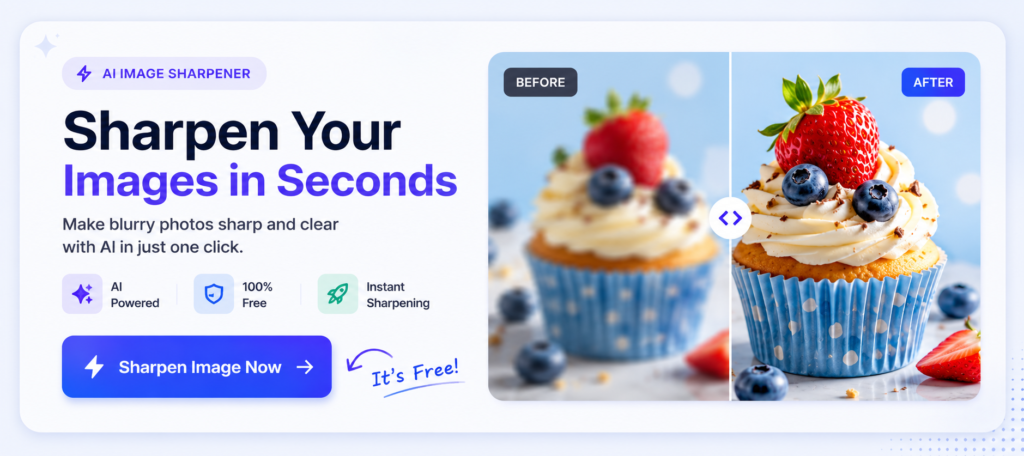
Go to ImageSharpen.com, upload your product photo, and hit Enhance. The AI sharpens edges, recovers texture detail, and returns a cleaner image in about 15 seconds. Free, no account required, no watermark on the result.
For most product photos, especially ones that are slightly soft rather than severely blurry, the difference is significant enough to use the image professionally.
Step by Step
- Save your product photo to your device
- Open ImageSharpen.com on your phone or desktop
- Drop the image into the upload area
- Click Enhance Image
- Compare before and after using the slider
- Download the sharpened version
Works on JPG, PNG, and WEBP. No sign-up, no watermark.
What Types of Product Photos Respond Best to AI Sharpening?
Textured products. Fabric, leather, wood grain, ceramics, anything with surface texture looks dramatically better after sharpening. AI recovers the fine detail that compression strips away.
Jewellery and accessories. Small intricate products where detail matters. Sharpening brings out the craftsmanship that a slightly soft photo hides.
Electronics and tech products. Clean edges and sharp lines. AI sharpening makes edges crisp and removes the soft halo effect that low light shots often produce.
Food products. Texture is everything in food photography. Sharpening recovers the detail that makes food look appetising rather than flat.
Clothing and apparel. Fabric texture, stitching, and pattern clarity all improve noticeably. Useful if you are shooting on a mannequin or flat lay and the image came out slightly soft.
Will It Actually Make a Difference to Sales?
Blurry product photos are one of the most common reasons customers do not convert. People cannot buy what they cannot see clearly. On mobile especially, where most shopping now happens, a soft image gets scrolled past instantly.
A sharper image does not just look better. It signals quality. It tells the buyer that you take your product seriously. That matters whether you are selling on Etsy, Amazon, your own site, or Instagram.
Fixing a blurry product photo takes 15 seconds. The impact on how the product is perceived is disproportionate to the effort.
Can You Sharpen Product Photos on Mobile?
Yes. ImageSharpen.com works in mobile browsers on iPhone and Android. Upload directly from your camera roll, enhance, and download. Useful if you shot the product on your phone and want to improve it before posting.
What If the Photo Is Very Low Resolution?
If the product image is low resolution as well as blurry, sharpening alone will improve it but the result will still be limited by the original pixel count. In that case, the tool also handles upscaling, which increases the actual dimensions of the image while keeping it sharp. For very small product images that need to display large on a listing page, upscaling combined with sharpening makes a significant difference.
Common Questions
Will the background of the product photo be affected? Yes, the entire image is sharpened including the background. If you have a clean white or neutral background, this is not an issue. If the background is busy or distracting, sharpening it more is not ideal, but for most product photography with simple backgrounds the result looks clean.
Can I use the sharpened image commercially? The image is yours. You uploaded it, you download the result. There are no usage restrictions on images processed through ImageSharpen.
Will it change the colours of my product? No. Sharpening affects edge clarity and detail, not colour. Your product colours stay accurate.
What is the maximum file size? Up to 20MB, which covers the vast majority of product photos.
The Bottom Line
You do not need to reshoot. You do not need a professional photographer or a Photoshop subscription. If your product photo is blurry or soft, AI sharpening fixes it in seconds for free.
Go to ImageSharpen.com, upload your photo, and see the difference before you download anything.