
Selling on Etsy is different from selling on most other marketplaces.
People aren’t just buying a product. They’re buying something handmade, personalised, or unique. Before they read your description or check your reviews, they’re already looking at your photos.
If your images look blurry or a little soft, it can make even a great product feel less premium.
Why Etsy Buyers Care About Photo Quality
When someone shops on Etsy, they can’t pick up your product or look at it from different angles.
Your photos have to do that job.
Whether you’re selling handmade jewellery, candles, artwork or knitted products, buyers want to see the little details. They want to zoom in, look at the texture and feel confident that the product matches what they’re expecting.
Clear photos don’t just make your listings look better. They make your products feel more trustworthy.
Signs Your Etsy Photos Need Improving
Not sure if your photos actually need work?
Here are a few easy signs.
The Product Doesn’t Look Sharp
When you zoom in, the edges look soft and small details start disappearing.
Colours Don’t Look Right
If your photos look dull or slightly washed out, buyers may not get an accurate idea of what they’re purchasing.
The Product Blends Into the Background
Your product should be the first thing people notice. If it gets lost in the background, it’s worth improving the image.
You Wouldn’t Click on Your Own Listing
This is probably the easiest test.
Open your listing next to a few competitors. If your photos don’t immediately catch your attention, there’s a good chance they could be improved.
How to Sharpen Etsy Listing Photos
If your product photos look a little soft, don’t worry. Most of the time, you don’t need a completely new photoshoot. A few small changes can make a big difference.
Improve the Image With AI
One of the quickest ways to improve a product photo is to sharpen it before uploading it to Etsy.
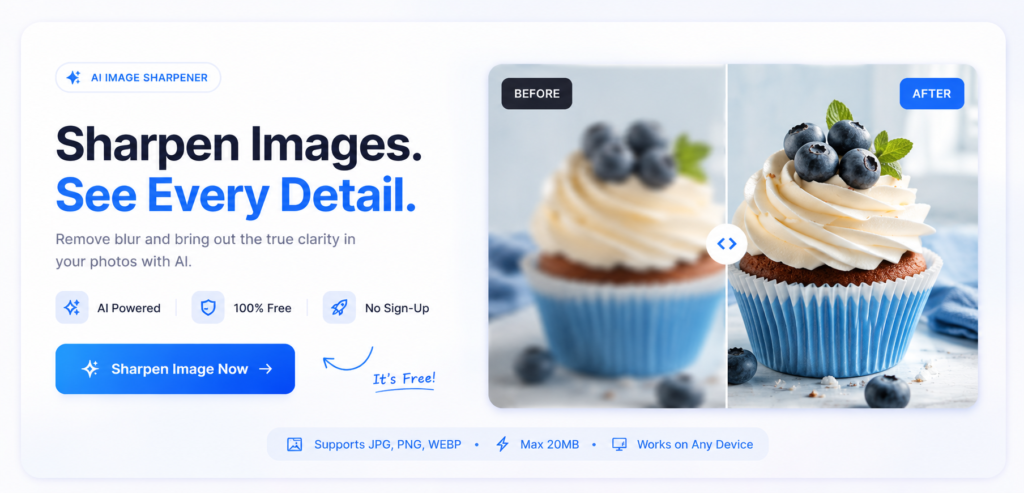
If your image looks slightly blurry or has lost quality after editing, you can use ImageSharpen to improve clarity and bring back fine details. It’s a simple way to make your listing photos look cleaner without spending time learning complicated editing software.
Photograph in Good Natural Light
Good lighting does half the work for you.
Natural light helps your product look sharper, shows colours more accurately, and makes small details easier to see. Try taking photos near a window or outdoors in soft daylight instead of relying on harsh indoor lighting.
Avoid Sending Photos Through Messaging Apps
If you send product photos through apps like WhatsApp before uploading them to Etsy, they’ll usually be compressed.
Always upload the original image from your camera or computer whenever possible.
Sharpen the Image Without Overdoing It
A little sharpening can make a product stand out.
Too much sharpening does the opposite. It creates harsh edges and makes the image look unnatural.
Aim for a clean, natural look rather than trying to make every detail stand out.
Keep Colours True to the Actual Product
It’s tempting to increase saturation or add heavy filters, but that can lead to disappointed customers.
Your goal is to make the product look its best while still looking like the product they’ll receive.
A Quick Way to Improve Existing Photos
Not every Etsy seller has the time to set up another photoshoot.
Maybe you’ve already uploaded dozens of listings. Maybe the product has sold well, but the photos could look a little better.
Instead of starting over, improve the images you already have.
Upload your photo to ImageSharpen, let the AI enhance the clarity, and download the improved version. It’s a quick way to make slightly blurry or soft images look cleaner before updating your Etsy listing.
It’s especially useful for:
- Older product photos.
- Handmade items with fine details.
- Supplier images.
- Photos that have lost quality after editing or resizing.
Conclusion
Your product deserves photos that show it at its best.
On Etsy, buyers pay attention to the little details. A sharper, clearer image can make your products look more professional and help shoppers feel more confident before they click “Add to Cart.”
Before uploading your next listing, take a minute to look at your photos. If they could be a little clearer, improve them first with ImageSharpen. It’s a simple step, but it can make a noticeable difference in how your products are presented.